A wheel your chat controls
Viewers trigger the spin from chat and the wheel fires live on your stream. Instant participation, no scene switching, no you tabbing away mid-game.
Build a prize wheel your chat can spin on stream. Fully customizable segments and visuals, free or credit-based spins, and spins you can hand to a single viewer. Free with R3ddyBot.
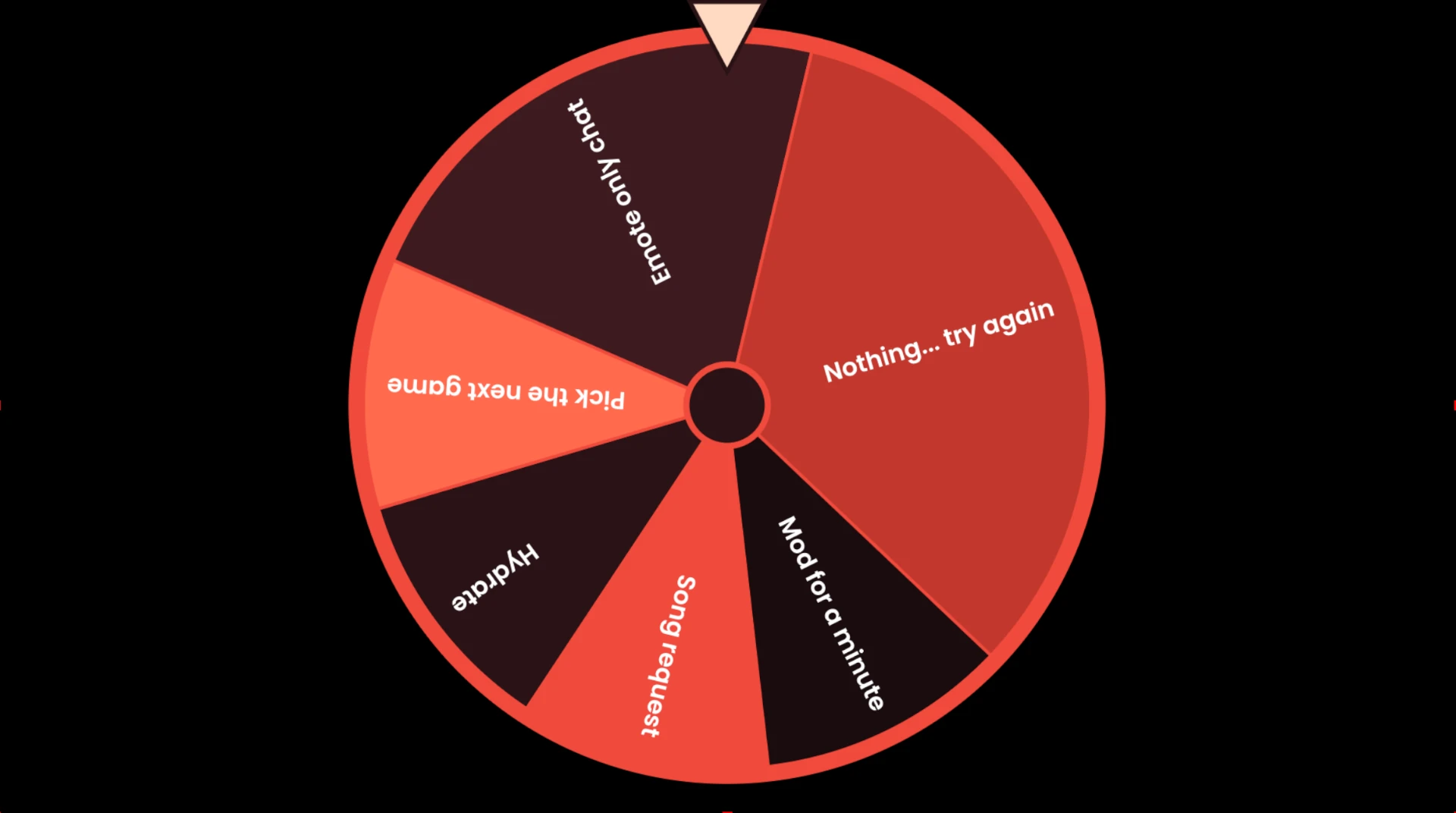
Viewers trigger the spin from chat and the wheel fires live on your stream. Instant participation, no scene switching, no you tabbing away mid-game.
Segments, labels, colors, fonts, pointer, sizing and spin animation are all yours. Start from a template and restyle the whole wheel so it looks like your channel, not a stock widget.
Make spins free for everyone, charge channel credits per spin, or set daily limits. Turn the wheel into a reward loop that keeps viewers earning and coming back.
Grant a spin to one person — a new sub, a raider, a giveaway winner — so only they can pull the trigger. Perfect for milestone moments on stream.
One URL into an OBS or Streamlabs Browser Source and the wheel is live. Transparent background, no plugins, no downloads.
Decide who can spin and who can reload the wheel: owner, moderators or all of chat. The same RBAC that covers every other R3ddyBot command.
Pair the wheel with timers, event reactions and AI replies so quiet stretches still have something happening for the people watching.
Authorize R3ddyBot at console.r3ddybot.com — about ten seconds.
Add segments, weight the odds, pick a template and restyle the colors to match your stream.
Free spins, credit cost, cooldowns, daily limits or user-specific spins — your call.
Paste the overlay URL into OBS, place the wheel on your scene and let chat spin it.
OBS → Add Browser Source → console.r3ddybot.com/overlay/…
It's an on-stream prize wheel your chat can trigger. A viewer runs the spin command, R3ddyBot spins an animated wheel on your stream overlay, and the winning segment is announced in chat — great for giveaways, dares, song requests and channel point redeems.
Log in to the R3ddyBot console with Twitch, enable the Wheel Spin module, build your wheel segments, then copy the browser source URL into a Browser Source in OBS or Streamlabs. Nothing to install and it updates itself.
Yes. The wheel is fully customizable — segment labels, how many segments, segment weighting, colors, fonts, pointer style and spin animation. Start from one of the ready-made visual templates and tweak it until it matches your stream branding.
Yes. Spins can be free for everyone, cost channel credits, or be granted to specific users. Mix them: a free daily spin for chat plus paid extra spins for anyone who wants another shot.
Yes. User-specific spins let you hand a spin to a single viewer — a new sub, a raider, a giveaway winner — so only they can trigger the wheel.
Yes. Wheel Spin is included free on every R3ddyBot plan, alongside the Check-In Globe, Shoutout overlay, timers, commands and AI personalities.
The Wheel Spin module is free with R3ddyBot, built by R3dLabs. Sign in with Twitch and build your wheel tonight.