Chat message + on-screen card
One command does both: a clean, formatted shoutout in chat and an animated card on stream with the streamer's avatar, name, category and bio.
!so posts a proper shoutout in chat and fires an animated card on your stream with the streamer's name, category and channel art. Free with R3ddyBot.
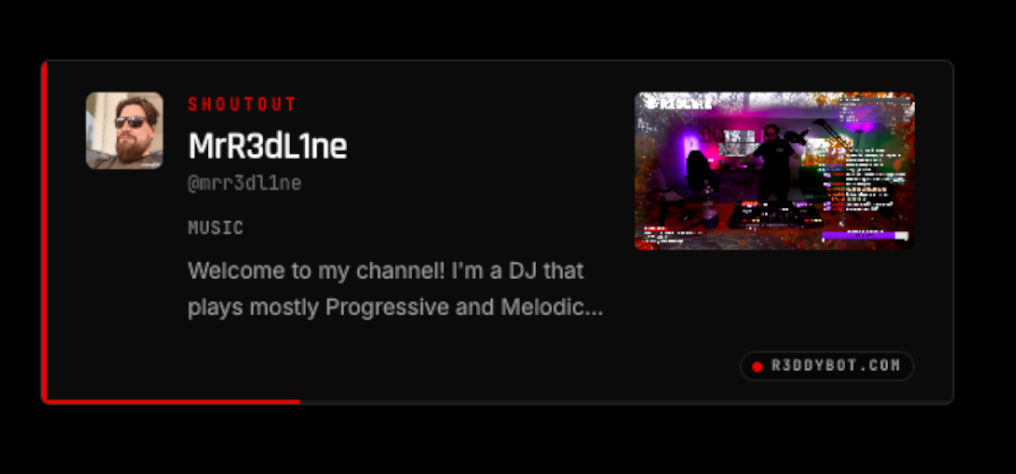
One command does both: a clean, formatted shoutout in chat and an animated card on stream with the streamer's avatar, name, category and bio.
Pick from a library of shoutout card templates — different layouts, animations, colors and art treatments — so the card looks like your channel, not a default widget. Switch templates in the console and the browser source updates instantly.
Paste a single URL into an OBS or Streamlabs Browser Source. No downloads, no plugins, no scene rebuilds when it updates.
Shout out the streamer who just raided you, or the one you're about to raid. Works hand-in-hand with RaidNow and OnDeck Notify from the R3dLabs network.
Give !so to your mods, your whole chat, or keep it to yourself. The same RBAC controls cover every R3ddyBot command.
The card fills itself in from Twitch — no manual typing, no stale info about what someone streams.
Shoutout ships alongside the Check-In Globe, timers, custom commands, AI personalities and Twitch event reactions in the same console.
Authorize R3ddyBot at console.r3ddybot.com — about ten seconds.
Turn on the module and choose who can run !so: owner, mods or everyone.
Copy the overlay URL into an OBS Browser Source and place the card where you want it.
Type !so <streamer> and the chat message and on-stream card fire together.
OBS → Add Browser Source → console.r3ddybot.com/overlay/…
!so <username> is the shoutout command. R3ddyBot posts a formatted shoutout message in your chat with the streamer's name, last category and channel link, and simultaneously fires an animated shoutout card on your stream overlay.
Log in to the R3ddyBot console with Twitch, enable the Shoutout module, copy the browser source URL and paste it into a Browser Source in OBS or Streamlabs. Nothing to install or update.
Yes. Permissions are role-based — owner, moderator or everyone — so you decide who can trigger !so in your channel.
Yes. The Shoutout module is included free on every R3ddyBot plan. Paid plans add higher AI limits, more timers and commands, and R3dLabs membership perks.
Yes. The Shoutout module includes a set of ready-made card templates with different layouts, animations and color treatments. Choose the one that fits your stream in the R3ddyBot console — no design work and no OBS changes needed.
That's what it was built for. Pair !so with the R3dLabs RaidNow and OnDeck Notify modules to shout out your next raid target and hand the train off cleanly.

The Shoutout module is free with R3ddyBot, built by R3dLabs. Sign in with Twitch and run your first !so tonight.